Cashing out shouldn’t be the confusing part of playing Milky Way, but for a lot of new players, it is. You win, you check your balance, and then… you’re not totally sure who to talk to or what happens next. This Milky Way redeem guide exists to clear that up.
There’s a reason people search for a plain-English Milky Way cashout how to answer instead of just winging it. Every distributor runs things a little differently, and if nobody explains the basics up front, you end up guessing. So let’s actually walk through it, the same way an experienced agent would explain it to a friend.
Why Milky Way Redemptions Work Differently Than You’d Expect
If you’ve used a casino app before, you’re probably expecting a “cash out” button that spits money into your bank account. Milky Way doesn’t work like that, and honestly, most sweepstakes platforms don’t either.
Instead, Milky Way runs on a network of independent agents and distributors. Your account is tied to whoever set it up for you, and that person is the one who processes your redemption. It’s a more personal system than a big app, but it also means the Milky Way cashout how to process depends heavily on your relationship with that agent.
If you get that piece, it’ll all fall in place in this Milky Way redeem guide. Also, know that platforms such as Fire Kirin function in a similar way, so these lessons will be useful if you ever venture out from them.
The Milky Way Cashout How To Steps, in Order
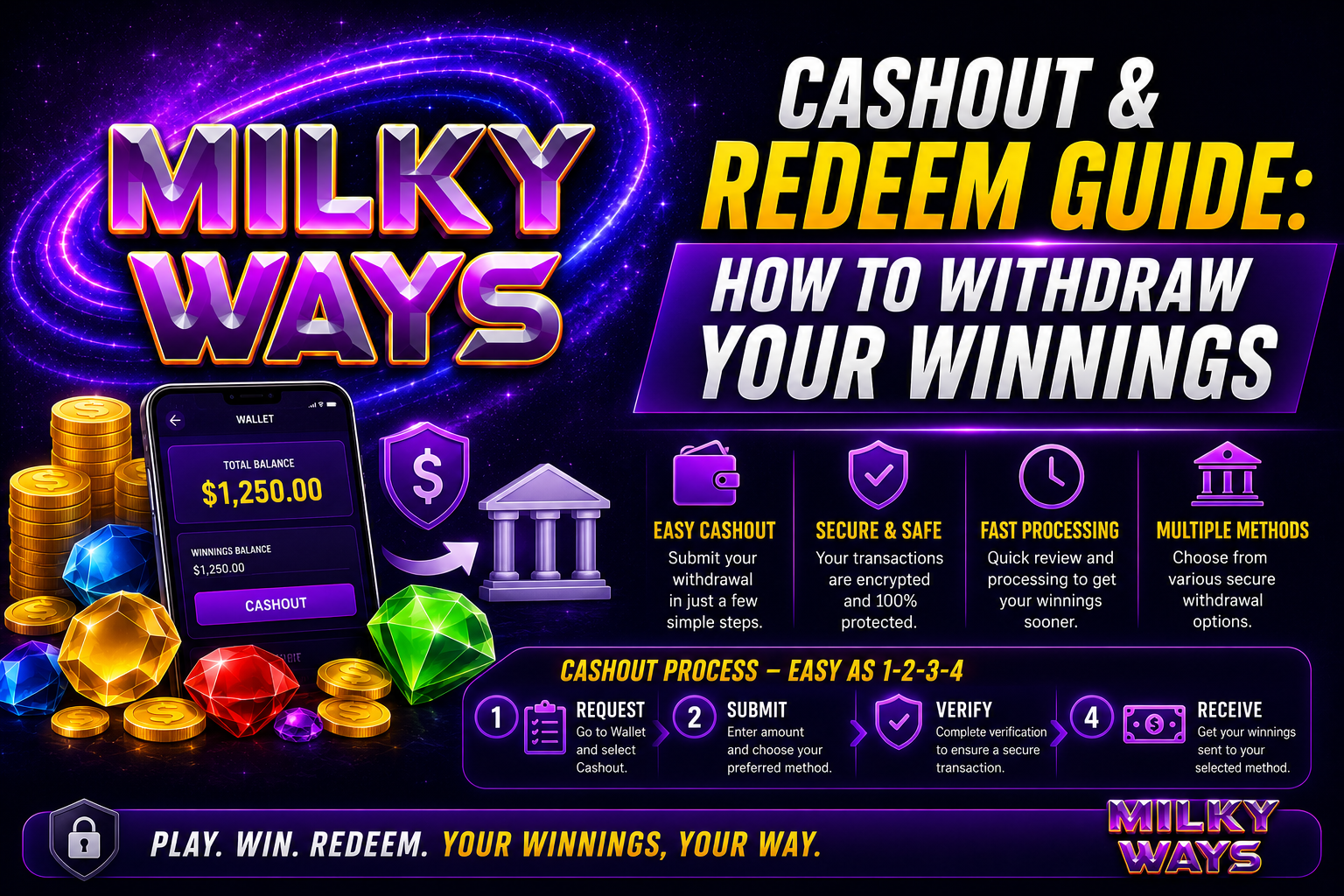
Here’s what actually happens when you redeem, broken into the order most agents follow.
Check your balance. Log in and look at your current credits before you message anyone. This number is what your agent will confirm against.
Reach out to your agent. Text, call, whatever channel you normally use. Let them know you want to redeem.
Tell them the amount. Be specific. Include your username so there’s no confusion about whose balance you’re pulling from.
Verify your identity, if they ask. This mostly comes up with larger withdrawals. It’s a normal step, not a red flag.
Agree on a payout method. Cash, e-transfer, a payment app, whatever your agent supports. Confirm it before you finish the request.
Wait for the payout. Most redemptions clear in a few hours. Some stretch to a full business day depending on how busy your agent is.
That’s the full picture of the Milky Way cashout how to process. Nothing about it is complicated once you’ve done it a couple of times. The only real variable is your agent’s response time.
How to Withdraw Milky Way Winnings Without Delays
If you want to know how to withdraw Milky Way winnings without sitting around waiting, the fix is boring but effective: be ready before you message your agent. Know your balance. Know your username. Know how you want to get paid. A vague “hey I want to cash out” message is the number one reason redemptions drag on longer than they need to.
Milky Way Redemption Steps to Keep Handy
If you’d rather have a shorter version to reference, save these Milky Way redemption steps somewhere:
Log in and confirm your balance, message your agent, give them your amount and username, agree on a payout method, then wait for confirmation. That’s it. Once you’ve run through it once or twice, you won’t need to think about it again.
How to Add Money to Milky Way
Redeeming is only half the story. At some point you’ll also want to know how to add money to Milky Way so you can keep playing.
It’s basically the same process, flipped around. Message your agent, tell them how much you want to deposit, and confirm your payment method. Credits usually show up in your account within a few minutes of the payment clearing.
Players who stay on good terms with a responsive agent tend to have an easier time on both ends, deposits and withdrawals alike. It really comes down to picking someone reliable and sticking with them.
Milky Way Withdrawal Explained: What Actually Slows It Down
Sometimes a redemption takes longer than you’d like, and it’s rarely because anything is wrong. Here’s the Milky Way withdrawal explained in plain terms.
Time of day matters. A request sent at 2 a.m. is going to sit longer than one sent during normal hours. Bigger amounts sometimes need extra verification, which adds a bit of time. Your agent’s workload plays a role too, since they’re usually managing several players at once, not just you. And the payout method itself can speed things up or slow them down depending on what your agent uses.
None of this means the system is broken. There’s a real person confirming your request on the other end, not an automated process, and that’s exactly why patience and clear communication go a long way here.
Milky Way Cash Out Problems Solved
Even with a good process, things go sideways sometimes. Here are the Milky Way cash out problems solved with fixes that actually work.
Agent not responding? Give it a few hours first, especially outside business hours. Still nothing after a full day? Contact your distributor directly for an update.
Balance looks wrong? Check your recent play history before panicking. Balances update in real time, so what looks off is usually just a display lag, not a missing payout.
Redemption taking forever? This tends to happen during busy stretches or when ID verification kicks in. Double-check that your details are accurate so you’re not adding delays on your end.
Not sure which payout method to pick? Just ask your agent which one they process the fastest. Sticking with one method consistently also makes future redemptions quicker, since there’s less to confirm each time.
Most of these Milky Way cash out problems solved themselves once communication improves. It’s rarely the platform. It’s almost always a missed message or an unclear request.
How to Win on Milky Way: Tips Worth Trying
There are no guarantees of winning in any game and anyone who claims he or she has is selling something. If you want to learn how to play the Milky Way games for a winning tip you’ll need to know how to play Milky Way games.
Establish a wager limit prior to placing your bets and never bet more than is allowed. Know the paytable of the game you’re playing rather than playing blind. If possible, use demo versions of games, many platforms now have them such as Fire Kirin, and this way you can try them before spending any credits. Maintain a general game journal of your performance, wins, losses, time spent playing etc., to allow for pattern recognition over time. And take breaks. When the game is played when emotions run high, things rarely go well.
These habits won’t affect the numbers of any one game, but they will help you play longer and make better decisions when to walk away and redeem.
Milky Way Rewards Redemption Guide for Agents and Distributors
Everything above is written for players, but if you’re on the business side, running a network as an agent, sub-agent, or distributor, this Milky Way rewards redemption guide matters just as much to you.
Set clear expectations with your players up front.Tell them your standard turnaround time and when ID verification is required, to avoid any misunderstandings. Record all the deposits and withdrawals consistently, rather than by rote-learn. Rely on reliable back-end software, as you need to have a smooth cashout system, and an established company such as Fire Kirin has gained proven credibility there. Develop a system that you can keep using as your player base expands.
Players stick around longer with distributors that view redemption speed as a reality, rather than a future benefit that will be achieved. It’s a little thing but a big impact on trust.
Frequently Asked Questions
How long does a Milky Way cashout usually take? Most redemptions clear within a few hours. Larger amounts or requests sent outside business hours can take closer to a full day.
Do I need to verify my identity to redeem winnings? Smaller amounts usually skip this step. Bigger redemptions sometimes need a quick ID check to protect you and your agent from fraud.
Can I redeem part of my balance instead of everything at once? Yes. You can request any amount up to what you’ve got available. Plenty of players cash out partially and leave the rest active.
What payment methods work for withdrawals? It depends on your agent. Cash, e-transfer, and payment apps are all common, but you’ll need to confirm what your specific agent supports.
Is there a minimum amount required to cash out? It varies by distributor. Some set a small minimum, others don’t. Your best bet is asking your agent directly.
How does Milky Way compare to Fire Kirin when it comes to redemptions? Both run on a similar agent-and-distributor setup, though the software and support experience can differ. A lot of operators run both side by side.
What should I do if my redemption seems stuck? Confirm your agent actually received the request first. No update after a reasonable window? Loop in your distributor.
Can one agent handle both my deposits and withdrawals? Usually, yes. Most agents manage the full relationship, which is exactly why keeping that line of communication open matters so much.
Are Milky Way redemptions actually safe? Yes, as long as you’re working with a legitimate, established agent. Confirming their reputation and sticking with a consistent payout method keeps things secure on your end.
Final Thoughts
This Milky Way redeem guide covered the full picture: how redemptions actually work, the real Milky Way cashout how to steps, and what to do when something doesn’t go as planned. None of it is complicated once you’ve seen it laid out, and most of the friction people run into comes down to unclear communication rather than a broken system.
Trust is really what holds this whole industry together, between players, agents, and the platforms behind them. That’s part of why working with an established name matters. Fire Kirin has built its reputation on dependable software and steady support, and that kind of foundation is exactly what keeps redemptions running smoothly across the board. Keep this Milky Way redeem guide handy, know your Milky Way cashout how to basics, and stay in touch with your agent. That combination solves most of the problems before they start.
Join Our Official Telegram Channel
Want to better understand the Milky Way cashout and redeem process? Become a member of the Official Telegram group for official platform updates, account resources, redemption information, and expert advice for players, agents, distributors and gaming business owners. Be updated on the procedures of cashing out, the requirements for cashing out, updates of the platform, troubleshooting and trusted information to help you understand the redemption process for the Milky Way.
From preparing to redeem their first one to getting queries about cashout, the community has got the right announcements, practical resources and continued guidance to help you navigate the Milky Way platform and possible cashout/redemption options.
Join Now: https://t.me/epictechnologies